


How to Choose the Right Dashboard Instrument Cluster?
Choosing the right Dashboard Instrument cluster starts with understanding how you drive and what your vehicle can support. A cluster may show speed, fuel level, warning lights, engine temperature, or trip information. The right choice makes essential details easy to read without distracting you from the road. It should also match your vehicle’s year, model, dashboard layout, and available electrical connections. A unit that looks suitable in a product photo may not fit your car.
Consider readability in daylight and at night. Check the display size, font clarity, backlighting, and whether the information you need is visible at a glance. Confirm the cluster’s functions against your vehicle manual and the manufacturer’s specifications. For a replacement, verify connector type, mounting points, and compatibility before ordering; some features may require professional installation or configuration. Keep existing warning indicators and safety information in mind, not only appearance.
Looks matter, too. But they are not enough. A polished digital screen can feel confusing if key readings are buried in menus, while a simpler layout may work better on a busy commute. Think about glare on a sunny windshield, dim visibility on a dark road, and whether the controls are easy to reach. There is no universally perfect cluster, and a feature-rich option can still be the wrong fit. Compare reliable specifications, ask a qualified technician when compatibility is uncertain, and choose a Dashboard Instrument that presents useful information clearly and consistently.
What Is a Dashboard Instrument Cluster?
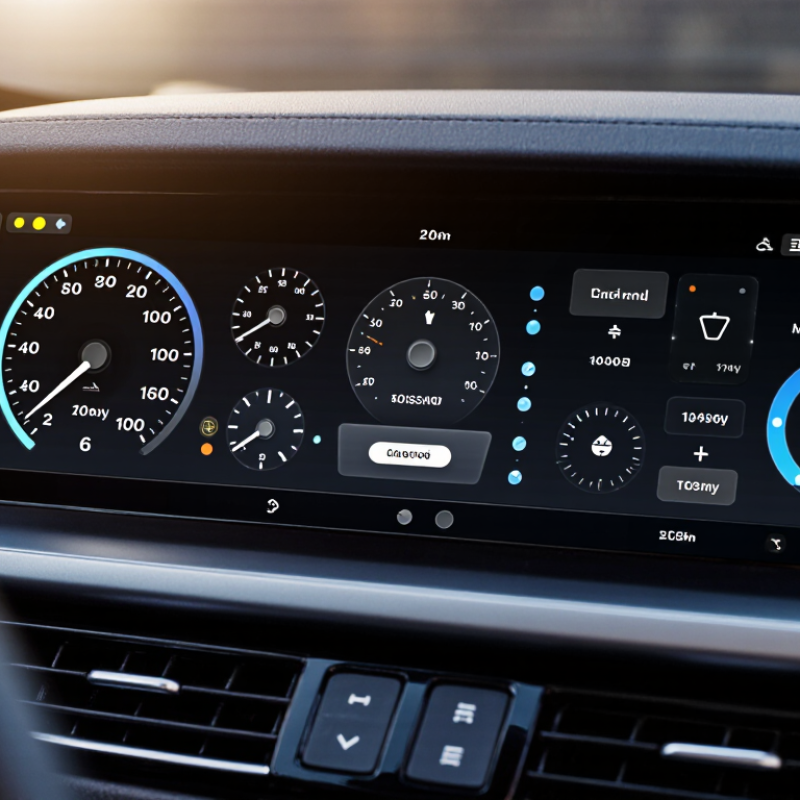
A dashboard instrument cluster is the set of gauges or displays directly in front of the driver. It shows essential information, such as vehicle speed, fuel level, engine temperature, and warning lights. Some clusters use physical needles; others use digital screens or a mix of both. Its main job is to make important information easy to read quickly, without distracting the driver.
When choosing a cluster, check that it fits the vehicle’s dashboard and works with its electrical system, sensors, and data connections. Confirm that the speed reading, warning indicators, and other functions are compatible with the vehicle’s specifications. Brightness matters, too: a display should remain clear in direct sunlight and dim enough for night driving. A larger screen may look impressive, but it is not automatically easier to use. Small labels or crowded graphics can make quick checks harder. Details are easy to miss.
Tips: Compare the display with the information you actually need while driving. Check units, warning symbols, readability, and installation requirements before buying. If compatibility is unclear, consult the vehicle’s service information or a qualified technician. A second check can prevent an expensive mismatch.
How to Choose the Right Dashboard Instrument Cluster? - What Is a Dashboard Instrument Cluster?
| Cluster Type | What It Is | Typical Information | Advantages | Things to Consider | Best Suited For |
|---|---|---|---|---|---|
| Analog | Uses physical gauges and needles, usually with a small display for additional information. | Vehicle speed, engine speed, fuel level, coolant temperature, warning lights, and trip data. | Familiar layout; key readings remain visible without navigating menus. | Layout and displayed information are generally less customizable than on a digital cluster. | Drivers who prefer traditional gauges and straightforward displays. |
| Digital | Uses an electronic screen in place of most or all physical gauges. | Speed, driver-assistance alerts, navigation prompts, vehicle status, and configurable information panels. | Can change the layout and show different information depending on the vehicle and selected mode. | Check screen readability in bright sunlight, menu simplicity, and whether essential readings are easy to find. | Drivers who want configurable displays and integrated vehicle information. |
| Hybrid | Combines physical gauges with a digital information screen. | Physical speed or engine-speed readings alongside trip, fuel-economy, warning, or assistance information. | Balances familiar gauges with some digital features. | The available digital functions and screen size vary by vehicle. | Drivers who want core readings to remain physical but value additional on-screen information. |
| Basic information display | A simpler cluster that may use warning lights, physical gauges, and a small monochrome or color screen. | Essential vehicle readings, warning indicators, odometer, and basic trip information. | Usually presents core information with a relatively simple layout. | May offer fewer display options and less detailed information than larger digital clusters. | Drivers who prioritize essential information and ease of use. |
| Large-format digital display | A wide electronic cluster screen designed to show several types of information in configurable areas. | Driving readings, navigation guidance, vehicle settings, and available driver-assistance information. | Can provide a broad view of vehicle information and multiple display layouts. | Evaluate glare, contrast, control logic, and whether less-used information can be kept out of the main view. | Drivers who regularly use navigation or want several vehicle functions presented on the cluster. |
| Head-up display (related feature) | Projects selected driving information into the driver’s forward field of view; it is typically separate from the instrument cluster. | Depending on the vehicle, it may show speed, navigation prompts, or selected alerts. | Can let the driver view selected information without looking down at the cluster. | Availability, image position, brightness adjustment, and compatibility with the driver’s seating position vary. | Drivers who want selected information displayed higher in their field of view. |
| Selection checklist | Compare the cluster in the actual vehicle rather than judging it only by screen size or appearance. | Readability, essential readings, warning visibility, controls, customization, and driver-assistance information. | Helps match the display to the driver’s needs and daily driving conditions. | Test it in daylight if possible, review the owner’s manual, and check which functions depend on vehicle options. | Anyone choosing between vehicles or comparing cluster configurations. |
What is a dashboard instrument cluster? It is the display area behind the steering wheel that presents key driving information and vehicle warnings. Exact features vary by vehicle configuration.