

How to Choose the Best Sewer Drain Camera
Choosing the right sewer inspection camera can reduce repeat visits, missed defects, and guesswork in the field. The stakes are substantial. The U.S. Environmental Protection Agency’s 2022 Clean Watersheds Needs Survey estimated $630.1 billion in wastewater infrastructure needs over the next 20 years. That national estimate does not tell contractors which camera to buy, but it underscores why reliable inspection tools matter.
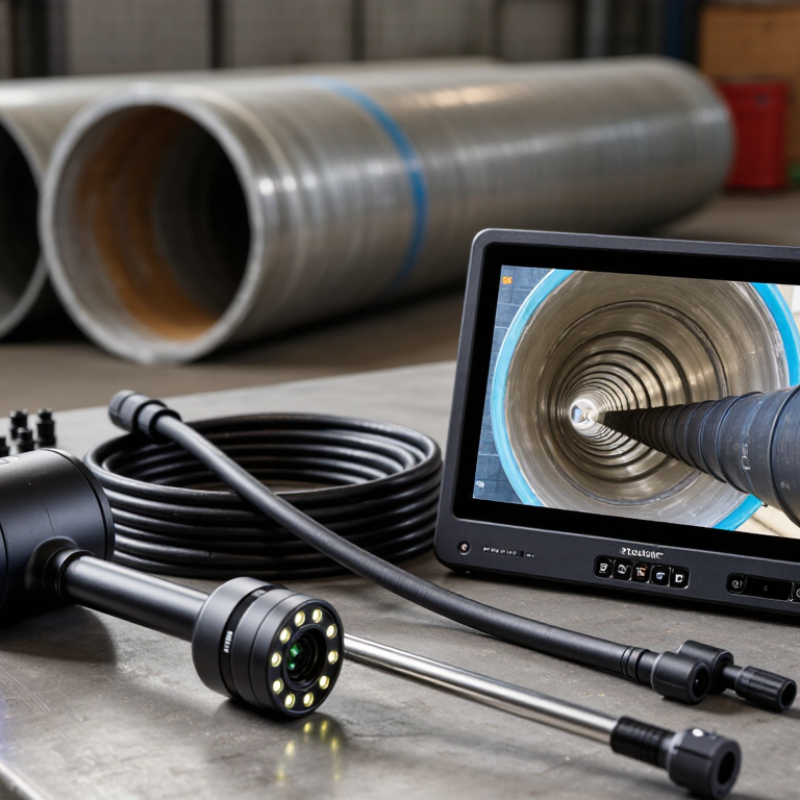
Sewer Drain Cameras vary in cable length, camera-head diameter, lighting, recording features, and locating capability. Match the equipment to the pipes you inspect most: a compact head can navigate smaller lines, while a sturdy pushrod helps cover longer runs. Check that the monitor remains readable in bright conditions and that recordings are easy to review with customers or maintenance teams. A locator sonde can help pinpoint a suspected break from above ground. Useful details. Often overlooked.
Waterproof ratings, battery life, replacement parts, and manufacturer support deserve equal attention. A low purchase price may not reflect repair costs or downtime. Ask how the camera performs around standing water, tight bends, and roots; these conditions can expose weaknesses quickly. Specifications help, but they do not replace a hands-on test. No single model suits every crew. I would also question any buying guide that promises a perfect choice from a feature list alone. The best sewer drain camera is the one that fits your pipe sizes, workflow, and service needs—and keeps producing clear, dependable evidence.
Identify the Inspection Tasks and Pipe Conditions
Match the camera to the job, not just the advertised image quality. A short residential lateral may suit a push camera with a flexible rod; longer runs or larger pipes may need a crawler. Check the pipe diameter, run length, bends, and access points before choosing. Roots, grease, sediment, and standing water can obscure the view or slow the camera. A bright screen cannot fix a poor fit. The EPA’s 2022 Clean Watersheds Needs Survey estimated $630.1 billion in wastewater and stormwater infrastructure needs over 20 years, underscoring the value of reliable condition assessments.
Look for a camera head sized for the pipe, durable lighting, and a cable rated for the distance and bends you expect. A built-in sonde can help locate a defect from above ground; footage counters help record its distance from the access point. For repeat inspections, use consistent defect descriptions. NASSCO’s Pipeline Assessment Certification Program provides standardized codes for documenting pipe conditions. Still, a clear video can miss defects hidden beneath debris, so note the limits of each inspection.
Tips: Clean the lens before each run, and record pipe size, material, and direction of travel. If the image keeps clouding, pause and flush or retrieve the camera rather than guessing. I’ve learned that “good enough” footage can leave the location uncertain. Capture a reference view at the cleanout, too.
How to Choose the Best Sewer Drain Camera
Identify the inspection task and pipe conditions before selecting a camera.
These common pipe-size ranges are a planning guide, not fixed standards. Confirm the pipe’s internal diameter and consider bends, debris, water level, and access points. Choose a camera head that fits the pipe and a cable suited to the inspection distance.
Compare Camera Head, Cable, and Viewing Specifications
A sewer drain camera is only useful when its head, cable, and viewing system suit the pipe and the job. Check the camera head’s diameter against the smallest drain you inspect. A compact head can pass tighter bends, but its smaller lens may show less detail. Look for adjustable lighting, too. Wet pipe walls can reflect glare, while grease and standing water often need stronger illumination. A sharp image helps, but it cannot reveal what the camera head cannot reach.
Cable length matters less than cable stiffness and handling. A long, flexible cable may buckle in a broad line or resist pushing around several bends. A stiffer cable can travel farther, though it may be harder to guide through tight turns. Consider the pipe material and typical access points before choosing. I would also check the cable’s distance markings; they make it easier to locate a problem from the cleanout. Easy to overlook.
For viewing, compare screen size, image clarity, and recording options. A bright display is easier to read in a dim basement, but glare from overhead lights can still be annoying. Recording lets you review a crack or root intrusion later, rather than relying on memory. Test the controls with gloves if that is how you will work. Specifications rarely show how tiring a long inspection feels, and that is worth weighing before buying.
How to Choose the Best Sewer Drain Camera - Compare Camera Head, Cable, and Viewing Specifications
| Specification | Compact System | General-Purpose System | Long-Reach System |
|---|---|---|---|
| Typical application | Short runs, small drains, and indoor branch lines | Residential and light commercial drain inspections | Longer mains and larger commercial or municipal lines |
| Typical pipe diameter | About 1½–4 in (38–100 mm) | About 2–6 in (50–150 mm) | About 3–12 in (75–300 mm), depending on the camera head and centering accessories |
| Camera head diameter | About 17–23 mm (0.67–0.91 in) | About 23–29 mm (0.91–1.14 in) | About 29–40 mm (1.14–1.57 in) |
| Camera head style | Small fixed or self-leveling head for tight bends | Fixed or self-leveling head; interchangeable heads may be available | Typically a larger, more robust head; pan-and-tilt options may be available |
| Push-cable length | About 20–30 m (65–100 ft) | About 30–60 m (100–200 ft) | About 60–120 m (200–400 ft) |
| Push-cable diameter | About 5–6 mm (0.20–0.24 in); flexible for smaller lines | About 6–9 mm (0.24–0.35 in); a balance of flexibility and push strength | About 9–11 mm (0.35–0.43 in); stiffer cable helps with longer pushes |
| Viewing and lighting | Color image and adjustable LED lighting; confirm usable visibility in the pipe size you inspect | Color image, adjustable LED lighting, and a monitor suited to frequent field use | Color image with adjustable lighting; verify detail and glare control at greater viewing distances |
| Monitor size | Typically 7–10 in (18–25 cm) | Typically 7–10 in (18–25 cm) | Typically 10–12 in (25–30 cm) |
| Recording and reporting | Check for still-image and video capture if documentation is needed | Video and still-image recording are useful for service records and customer reports | Look for recording, clear file export, and on-screen distance or job annotations |
| Distance measurement | Optional or basic counter; check how the reading is calibrated | Useful for locating a defect along the inspected run | Especially useful for long runs; compare measurement method and stated accuracy |
| Water resistance | Check the camera-head IP rating and the manufacturer’s stated immersion conditions | Look for a sealed camera head and a protected monitor and controls | Confirm ratings for the camera head, connectors, and reel separately |
| Best choice when | Portability and maneuverability matter more than maximum reach | You need one system for a broad mix of routine drain jobs | Long cable reach and stronger pushing performance are priorities |
Note: Specifications shown are typical selection ranges, not a guarantee of performance. Actual reach and pipe-size compatibility depend on bends, pipe condition, cable stiffness, camera-head shape, and accessories. Check the exact system specifications before purchase.
Assess Durability, Controls, and Ease of Use
A sewer drain camera earns its keep when its cable and camera head tolerate routine contact with rough pipe walls. Check the stated water-resistance rating for the head and connectors; do not assume the entire reel can be submerged. The cable should flex without kinking, yet remain firm enough to advance through a bend. Inspect the joint where the head meets the cable, since repeated pulling can strain it. Small details matter. If possible, handle the reel before buying: a heavy drum may feel manageable in a showroom but tiring after an hour.
Controls should be usable while wearing work gloves. Large buttons, a clear distance counter, and a screen readable in bright light help prevent missed observations. Test the brightness and image-rotation controls, not just the menu. Simple can be better. Check battery runtime while recording, and confirm how footage transfers and stores. Ease of use also depends on setup: can one person position the monitor, feed cable steadily, and keep the image in view? That awkward juggling is easy to underestimate. Practice on a short, accessible line before relying on the camera in a difficult inspection.
Check Recording Features and System Compatibility
A sewer drain camera is only useful if its recordings show enough detail to guide a repair. Look for clear video, adjustable lighting, and a timestamp that stays visible during playback. A still-image function can help document a crack or root intrusion without searching through a long clip. Small details matter. Check whether the system records to removable storage and whether files can be opened on a standard computer. A recording that needs obscure software may slow down estimates and make it harder to share findings with a property owner.
Compatibility deserves equal attention. Compare the camera head diameter with the pipe sizes you inspect, and check that its connector works with the reel, monitor, and power supply. Confirm the cable length is practical for your usual jobs; extra cable adds weight, while too little can leave a blockage out of reach. Check before buying. If you plan to review footage on a tablet, verify the output method and file format rather than trusting a vague “compatible” label. I have found that specifications can look clear on paper but still leave awkward gaps, especially around adapters and recording controls. Test the menu, playback, and file transfer before relying on the system in a real inspection. That can be frustrating.
Weigh Total Cost, Warranty, and Support
A sewer drain camera’s purchase price is only the visible part of its cost. Compare the full package: camera head, push cable, locator, batteries, monitor, software fees, training, and likely repairs. The U.S. EPA’s 2022 Clean Watersheds Needs Survey estimated $630.1 billion in wastewater infrastructure needs over 20 years. That figure is not a camera-price benchmark, but it shows why inspection equipment should be assessed as part of long-term asset management.
Small costs accumulate. Ask what the warranty covers, how long repairs usually take, and whether shipping, labor, or cable damage is excluded. A long warranty has limited value if support is slow or parts are difficult to obtain. Request the response-time policy in writing, plus repair pricing and access to loaner equipment. Check whether local technicians can service the camera, and whether software updates require ongoing fees. Downtime matters.
I would compare total cost over several years, not just the first invoice. Still, estimates can miss rough handling, wet job sites, or a damaged cable. That is worth admitting. EPA’s survey documents system-wide needs, not individual purchasing outcomes; buyers should verify service terms directly and match them to their crew’s inspection volume.
